
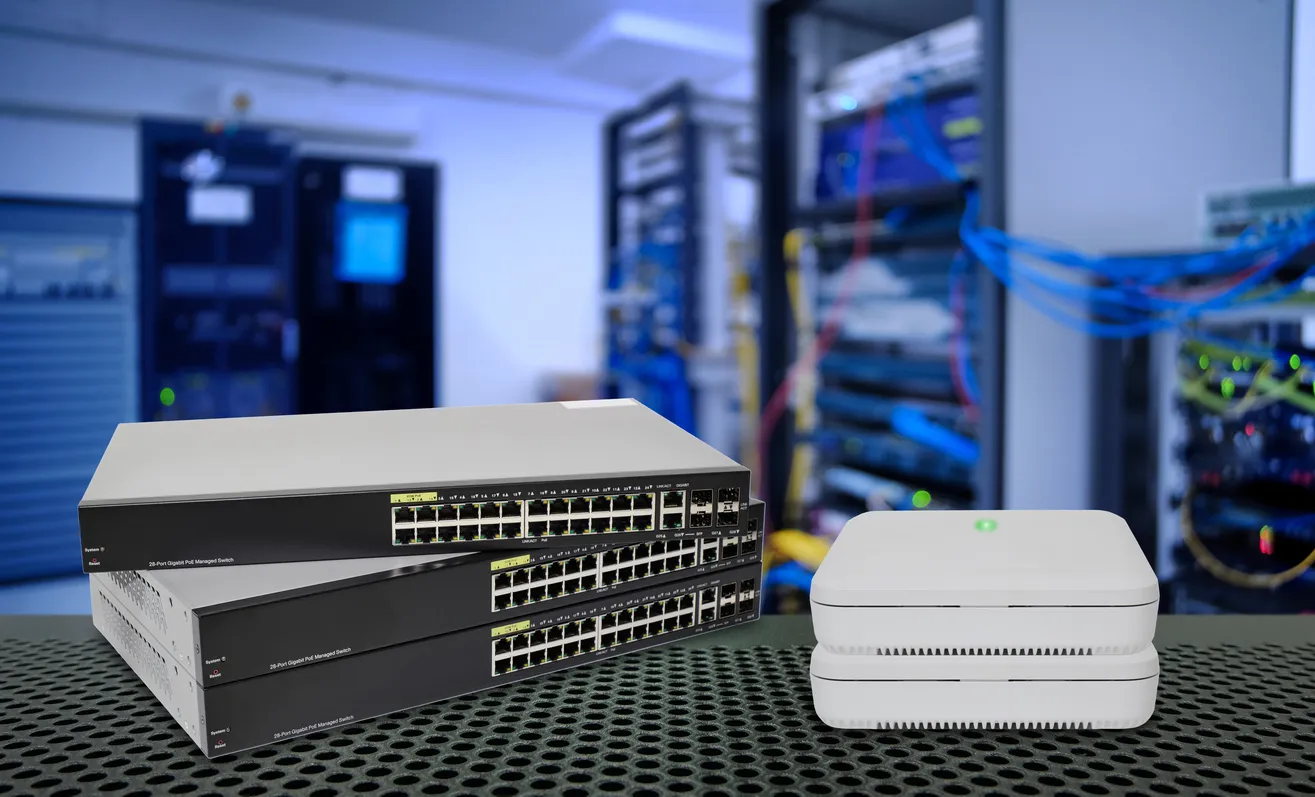
PoE (Power over Ethernet) is a way to deliver both data and electrical power to a device over a single network cable. Instead of running a separate power supply to every Wi-Fi access point, security camera, or desk phone, the network switch sends power down the same Ethernet cable that carries the data. This makes installations cleaner, cheaper, and more flexible, because devices can go wherever a network cable reaches rather than only where there is a power point, and it makes it easy to power everything from a central, backed-up location.
Key facts
- PoE sends electrical power and network data over one Ethernet cable, so devices need no separate power supply.
- It is commonly used for Wi-Fi access points, IP security cameras, and VoIP desk phones.
- Devices can be installed wherever a network cable reaches, including ceilings and walls with no power point nearby.
- Powering devices from a central PoE switch makes it easy to keep them running on backup power during an outage.
- You need a PoE-capable switch (or a PoE injector) and a device that accepts PoE; standards define how much power is available.
How does Power over Ethernet work?
An Ethernet cable has more capacity than data alone needs, and PoE uses that spare capacity to carry a low-voltage electrical supply alongside the data. A PoE-capable switch provides the power; a device that supports PoE draws it. The two negotiate automatically, so the switch only sends power to devices that ask for it and only as much as each device needs, which means you can safely plug a normal computer and a PoE camera into the same switch without harming anything.
If you have devices that need PoE but a switch that does not provide it, a small unit called a PoE injector can add power to the cable run, but in a business network the clean approach is a PoE switch that powers everything centrally. There are different PoE standards that supply different amounts of power, from enough for a phone or basic access point up to enough for a pan-tilt-zoom camera or a high-end Wi-Fi 6 access point, so part of designing a network is making sure the switch supplies enough power for everything you want to connect.
Why does PoE matter for a business network?
The practical wins are installation flexibility and tidiness. A Wi-Fi access point belongs on the ceiling in the middle of a space for the best coverage, exactly where there is usually no power point. With PoE, a single cable to that spot does both jobs, so you get the access point where it should be without an electrician running power. The same applies to cameras mounted high on walls and phones on desks: one cable each, no power adapters, no clutter.
The reason that often matters most is resilience. Because PoE devices draw power from the switch, you only need to keep the switch running to keep all of them running. Put the PoE switch on a UPS (battery backup) and your Wi-Fi, phones, and cameras all stay up through a power interruption, rather than each needing its own battery. For the SMEs we support this is a big part of why we build around PoE and platforms like UniFi: access points, cameras, and phones all powered and managed centrally, alongside a managed switch, means fewer points of failure and far simpler installs.
What do you need to use PoE?
Two things: a switch that supplies PoE (or an injector for a one-off), and devices that accept it, which most modern access points, IP cameras, and VoIP phones do. The design detail that matters is the power budget: a PoE switch can supply a set total amount of power across all its ports, so a network with many high-draw devices needs a switch rated to handle them all at once. This is easy to get wrong by counting ports but not power, which is why it is worth planning rather than assuming any PoE switch will do.
For most offices this is straightforward once someone has added up what needs powering and chosen a switch with enough budget and the right PoE standard. If you are deploying Wi-Fi, cameras, or VoIP, PoE is almost always the right way to power them, and designing it in from the start (including putting the switch on backup power) is far easier than retrofitting. If you are not sure whether your current switch can power what you want to add, that is worth checking before you buy the devices.
Frequently asked questions
What is PoE (Power over Ethernet)?
PoE is a way to deliver both network data and electrical power to a device over a single Ethernet cable. Instead of a separate power supply, the network switch sends power down the same cable that carries data, which is commonly used for Wi-Fi access points, IP cameras, and VoIP phones.
What devices use PoE?
The most common are Wi-Fi access points, IP security cameras, and VoIP desk phones. Because they draw power over the network cable, they can be installed wherever a cable reaches, such as ceilings and high walls, without needing a nearby power point.
What do I need to use PoE?
You need a PoE-capable switch (or a PoE injector for a single device) and devices that accept PoE, which most modern access points, cameras, and phones do. The switch must supply enough total power for everything connected, so the power budget needs to be planned, not assumed.
What is the advantage of powering devices with PoE?
Cleaner, cheaper, more flexible installs, since one cable does both power and data, and better resilience. Because devices draw power from the switch, putting that switch on a battery backup keeps your Wi-Fi, phones, and cameras running through a power outage without each device needing its own battery.
If you are deploying Wi-Fi, cameras, or VoIP and want it powered cleanly and kept running through outages, we can design the PoE and backup power. Call 4iT on 1800 367 448 or see our network infrastructure services.