4iT IT Support Sydney | Your Reliable Sydney IT Support Partner

Knowledge Base

Location of Startup Folder in Windows Server 2012 & Windows 8

Issue

You can’t find the Startup Folder for an Individual user using the traditional methods available in previous version of Windows

Solution

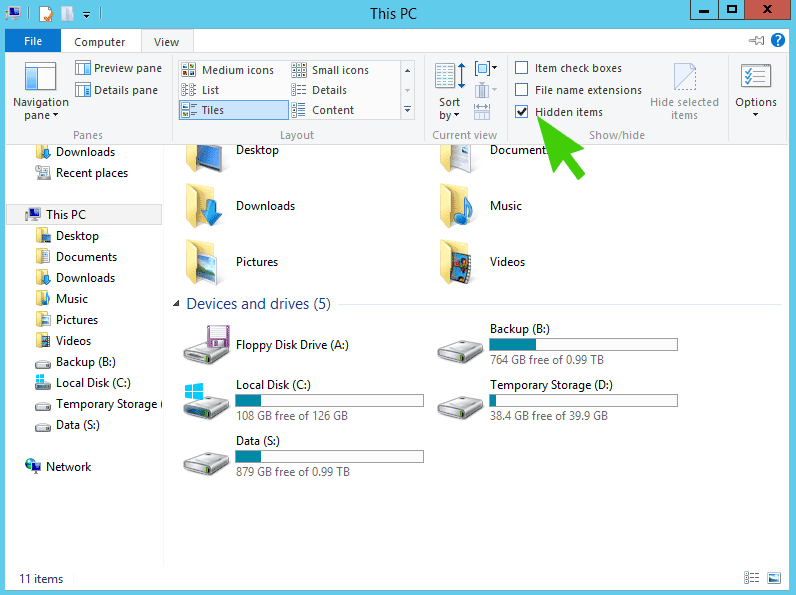
Step 1

Turn on Hidden Files and Folders

Step 2

Browse to the folder manually

C:\users\<username>\AppData\Roaming\Microsoft\Windows\Start Menu\Programs\Startup
Scroll to Top

Thanks!

We've received your request.

We'll call you back the same business day

Tell us a bit about your business

We'll call you back the same business day

What are you trying to solve?

Contact details
