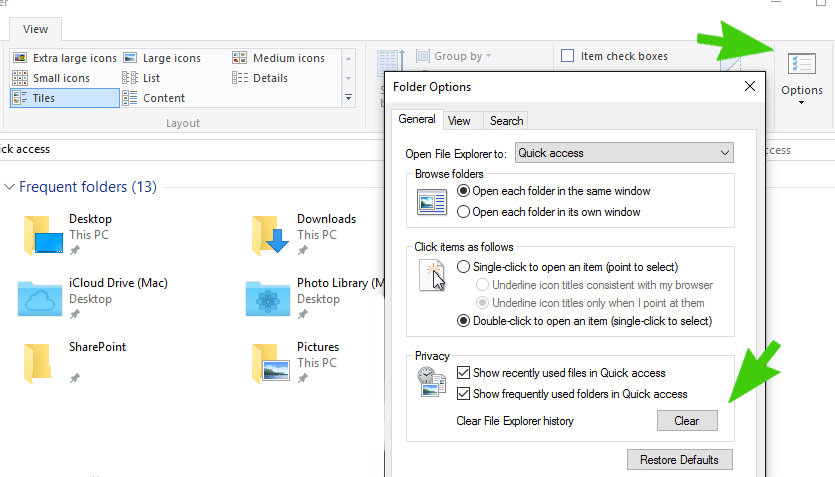
Here are the instructions to clear the Quick Access and Recent Files and Folders cache and return it back to factory default state in Windows 10.
Step 1
Open File Explorer
Step 2
Click on the View tab
Step 3
Click on Options
Step 4
Under the Privacy tab click on the Clear box