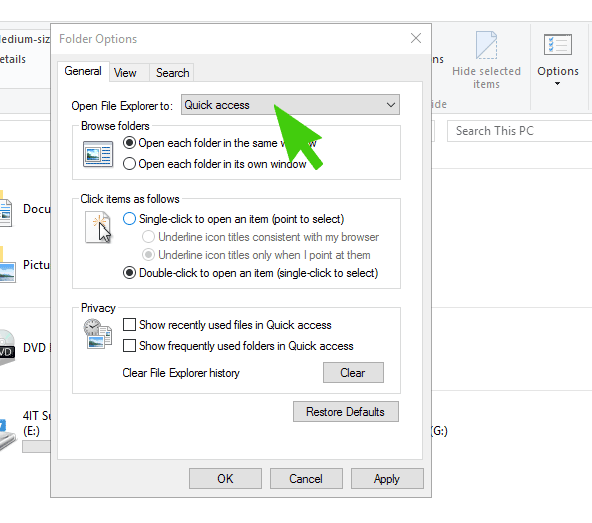
Whilst some users may find the Quick Access feature in the Windows 10 sidebar useful, there are many that don’t. Here’s how to disable Quick Access in Windows 10 and restore the standard File Explorer sidebar.
Step 1
Open File Explorer
Step 2
Click on the View tab
Step 3
Click on the Options Button
Step 4
Under General click on the button next to “Open File Explorer to:” and change it to “This PC”