Everyday IT support, strategy, and the people to run it all.
Protect your business from threats, breaches, and email fraud.
Get audit ready and stay on top of your obligations.
Fast, secure, reliable connectivity across your sites.
Modern business phones, VoIP, and unified communications.
Move to the cloud and run it securely.
Keep your data safe and recover fast when things go wrong.
WordPress websites we build, maintain, and host for you.
View All
Find where AI fits your business, and put it to work.
Automate the repetitive work that slows your team down.
What Is Robotic Process Automation (RPA)? SME GuideAI for Business: A Practical Guide for Australian SMEsAI Strategy and Adoption: A Guide for Australian SMEsAI Agents for Business: What Australian SMEs Need to Know
Connect remotely with a technician to troubleshoot in real time
Articles, tutorials, and FAQs that provide answers to your questions and challenges.
View all partners
Knowledge Base
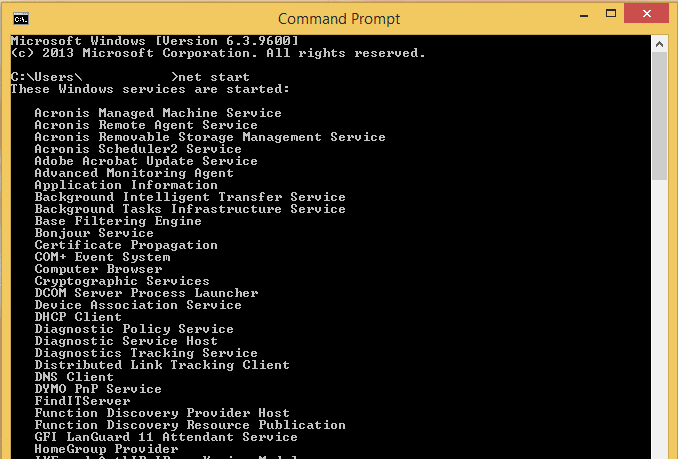
To list all the services which are currently running on a windows machine using the command prompt you can use the net start command.
Open a command prompt
Type in the following:
net start
We've received your request.
We'll call you back the same business day