4iT IT Support Sydney | Your Reliable Sydney IT Support Partner

Knowledge Base

How to Clear Quick Access and Recent File and Folders in Windows 10

Here are the instructions to clear the Quick Access and Recent Files and Folders cache and return it back to factory default state in Windows 10.

Step 1

Open File Explorer

Step 2

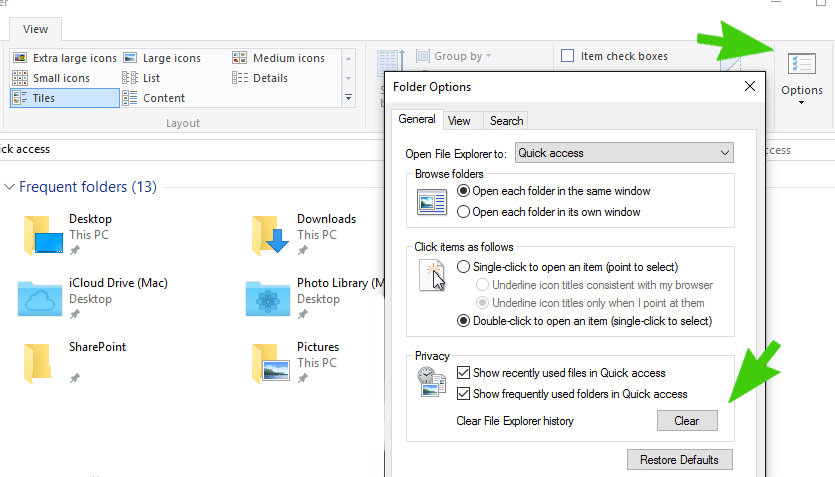
Click on the View tab

Step 3

Click on Options

Step 4

Under the Privacy tab click on the Clear box
Step 5

Click on Ok

Scroll to Top

Thanks!

We've received your request.

We'll call you back the same business day

Book a meeting

Tell us a bit about your business

We'll call you back the same business day

What are you trying to solve?

Contact details
